


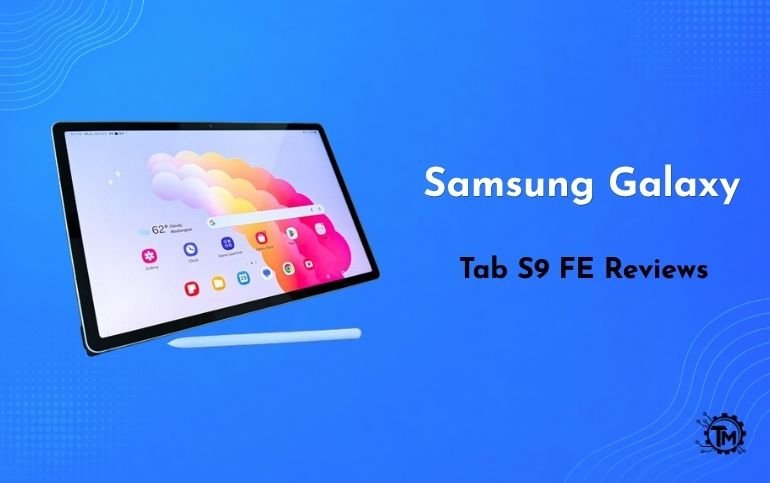
Finding a mid-range tablet that strikes the right balance between premium productivity features and accessible pricing can be challenging. When analyzing samsung galaxy tab s9 fe reviews, it becomes clear that Samsung designed this Fan Edition tablet to deliver flagship-tier productivity—including an included S Pen and IP68 water resistance—at a fraction of the cost of its flagship Tab S9 lineup.
Whether you are a digital artist seeking a portable drawing canvas, a student taking handwritten lecture notes, or a creator comparing gear like a camera from a Sony ZV-E10 Review alongside a mobile workstation, this in-depth evaluation covers everything you need to know about the Samsung Galaxy Tab S9 FE.
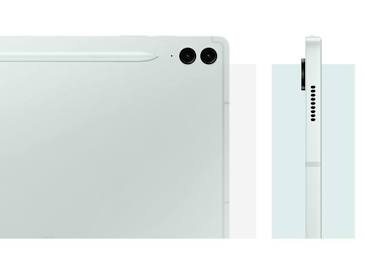
Samsung Galaxy Tab S9 FE Premium Aluminum Build. Source: Samsung
Technical Specifications Overview
| Hardware Feature | Specification Details |
|---|---|
| Display | 10.9-inch IPS LCD (2304 x 1440 resolution, 90Hz refresh rate) |
| Processor | Exynos 1380 Octa-Core (5nm architecture) |
| RAM & Storage | 6GB / 8GB RAM with 128GB / 256GB storage (MicroSD expandable up to 1TB) |
| Stylus | Included IP68-rated S Pen (Passive EMR technology) |
| Durability | IP68 water and dust resistance rating (Tablet and S Pen) |
| Battery & Charging | 8,000 mAh battery with 45W wired fast charging support |
| Software | One UI with Samsung DeX (4 years OS upgrades, 5 years security patches) |
| Audio & Biometrics | Dual AKG-tuned speakers (Dolby Atmos) + Power button fingerprint sensor |
1. Design, Ergonomics, and IP68 Build Quality
Samsung did not compromise on physical construction with the Fan Edition. The Galaxy Tab S9 FE features an all-aluminum unibody chassis with flat edges and a refined matte finish that effectively resists fingerprints and smudges.
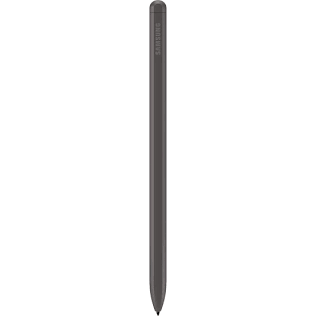
Included Passive EMR S Pen Stylus. Source: MyTrendyPhone.eu
IP68 Water and Dust Resistance
Unlike competing tablets in the mid-range category, both the Tab S9 FE tablet body and the bundled S Pen carry an official IP68 rating. This allows the device to withstand submersion in fresh water up to 1.5 meters for 30 minutes, providing real peace of mind when working outdoors, in coffee shops, or poolside.
Biometric Security & Port Placement
The top-mounted power button doubles as a responsive physical fingerprint scanner. While it lacks the in-display optical sensor found on higher-tier models, the physical scanner offers fast, reliable unlocking. The magnetic landing strip on the back panel secures and charges the S Pen seamlessly.
2. Display Quality and Digital Art Performance
The Tab S9 FE features a crisp 10.9-inch 90Hz IPS LCD panel instead of an AMOLED display. While contrast ratios do not match OLED levels, color accuracy remains high across sRGB and DCI-P3 color spaces.
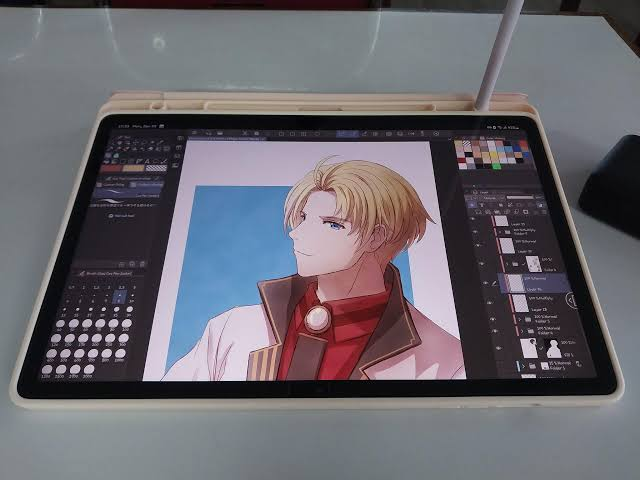
Vibrant 90Hz Display for Drawing and Digital Art. Source: Reddit
Drawing Experience for Artists & Note-Takers
Because the S Pen relies on electro-magnetic resonance (EMR) technology, it requires no internal battery charging for basic stylus input or pressure sensitivity.
- Pressure & Tilt Sensitivity: Supports 4,096 levels of pressure sensitivity, allowing smooth line-weight transitions in digital illustration apps like Clip Studio Paint and Infinite Painter.
- Stylus Latency: Pen latency measures approximately 19ms to 20ms. While flagship models reach sub-3ms response times, palm rejection is accurate, and line tracking remains steady without noticeable jitter.
- Screen Texture & Lamination: The fully laminated display minimizes the air gap between the glass surface and the digitizer layer, giving artists precise control over brush strokes.
3. Performance Benchmarks, Gaming, and Thermal Throttling
Under the hood, the Galaxy Tab S9 FE runs on Samsung’s mid-range Exynos 1380 processor paired with up to 8GB of RAM. Examining synthetic benchmarks reveals clear performance expectations across light tasks and heavy workloads.
Benchmark Comparisons & Thermal Behavior
In Geekbench 6 testing, the Exynos 1380 posts single-core scores around 1,000 and multi-core scores near 2,900. While these numbers fall behind Apple’s base iPad (A14 Bionic), everyday multitasking remains fluid thanks to 90Hz UI animations.
- Sustained Gaming Performance: Casual titles run flawlessly. High-demand 3D titles (such as Genshin Impact) require lowering graphic settings to medium to maintain a stable 45–60 FPS.
- Thermal Dissipation: The aluminum body acts as an effective heat sink. During prolonged 3D gaming sessions, sustained performance holds above 85% without severe thermal throttling or hotspot formation.
4. Software Viability: Samsung DeX and Multi-Window Productivity
Where Samsung tablets truly stand apart from Android competitors is software customization. Powered by One UI, the Tab S9 FE operates as a capable laptop alternative when paired with a keyboard cover or Bluetooth accessories.

Samsung DeX Desktop Interface for Multitasking. Source: Samsung
On-Device Samsung DeX
While the Tab S9 FE does not support wired external display output over DisplayPort (due to USB 2.0 interface limits), On-Device DeX Mode converts the tablet screen into a desktop-like environment. You can open up to three floating app windows simultaneously, drag and drop files across windows, and pin taskbar shortcuts for desktop productivity.
Software Lifecycle & Update Support
Samsung guarantees four major Android OS upgrades and five years of security patches for the Tab S9 FE series, ensuring the device remains secure and fully functional well into the future.
5. Mid-Range Tablet Competitor Comparison
Evaluating key hardware parameters highlights how the Tab S9 FE stacks up against its main market rivals:
| Feature / Model | Samsung Galaxy Tab S9 FE | Apple iPad (10th Gen) | Samsung Galaxy Tab S9 (Base) |
|---|---|---|---|
| Display Panel | 10.9″ IPS LCD (90Hz) | 10.9″ IPS LCD (60Hz) | 11.0″ Dynamic AMOLED 2X (120Hz) |
| Included Stylus | Yes (S Pen Included) | No (Apple Pencil sold separately) | Yes (S Pen Included) |
| Water Resistance | IP68 Rated | None | IP68 Rated |
| Expandable Storage | Yes (MicroSD up to 1TB) | No (Fixed Internal Storage) | Yes (MicroSD up to 1TB) |
| Video Output | On-Device DeX Only | DisplayPort / Adapter Support | Full Wired DeX DisplayPort |
6. Critical Limitations Most Reviews Overlook
While the Galaxy Tab S9 FE offers excellent overall value, potential buyers should account for these real-world trade-offs:
- No Wired Display Output: The USB-C port utilizes USB 2.0 transfer speeds, preventing external monitor connectivity via HDMI or DisplayPort cables.
- LCD Instead of AMOLED: Blacks appear dark gray in dim rooms compared to true black levels on flagship OLED panels.
- Exynos Chipset Limits: High-end 4K video rendering and heavy multi-layer 3D modeling tasks take longer compared to flagship processors.
Conclusion
Synthesizing critical samsung galaxy tab s9 fe reviews shows that Samsung has delivered an outstanding mid-range tablet. By optimizing your setup with smart Beaconsoft Tips for Tech strategies, you can maximize your workflow productivity without breaking the bank.
Frequently Asked Questions (FAQs)
Q1: Does the Samsung Galaxy Tab S9 FE come with an S Pen in the box?
Yes, Samsung includes the IP68 water-resistant S Pen stylus inside the box with the tablet at no extra cost.
Q2: Is the Galaxy Tab S9 FE good for digital artists and drawing?
Yes, the included pressure-sensitive S Pen, laminated 90Hz screen, and low latency make it an excellent drawing tool for digital illustration.
Q3: Can the Galaxy Tab S9 FE output video to an external monitor?
No, the tablet uses a USB 2.0 port that lacks DisplayPort video output, though it fully supports On-Device Samsung DeX mode.
Q4: How long does the battery on the Tab S9 FE last?
The 8,000 mAh battery easily provides 10 to 12 hours of active screen-on time for web browsing, note-taking, and video playback.
Q5: Does the Galaxy Tab S9 FE support expandable storage?
Yes, the tablet features a MicroSD card slot that supports storage expansion up to 1TB for media and files.
Source: Tricks Mode
